🎭 VRChat Avatar Maker: The Ultimate Guide to Creating Your Digital Identity
Welcome to the most comprehensive guide on VRChat avatar creation. Whether you're a complete beginner or an experienced creator looking to up your game, this 10,000+ word guide covers everything you need to know about the VRChat Avatar Maker ecosystem.
Table of Contents
🔍 1. Understanding VRChat Avatar Basics
Before diving into creation tools, it's crucial to understand what makes a VRChat avatar tick. Unlike traditional game characters, VRChat avatars are complex digital representations that require specific technical considerations.
1.1 What Exactly is a VRChat Avatar?
A VRChat avatar is more than just a 3D model—it's your digital body in the metaverse. It includes meshes, textures, animations, and most importantly, avatar dynamics that allow for expressive movement and interaction.
1.2 The Technical Requirements
VRChat has specific requirements for avatars to ensure optimal performance across different hardware. The platform uses a performance ranking system (Poor to Excellent) based on polygon count, material count, and other factors. Understanding VRChat's technical requirements is the first step to creating a successful avatar.
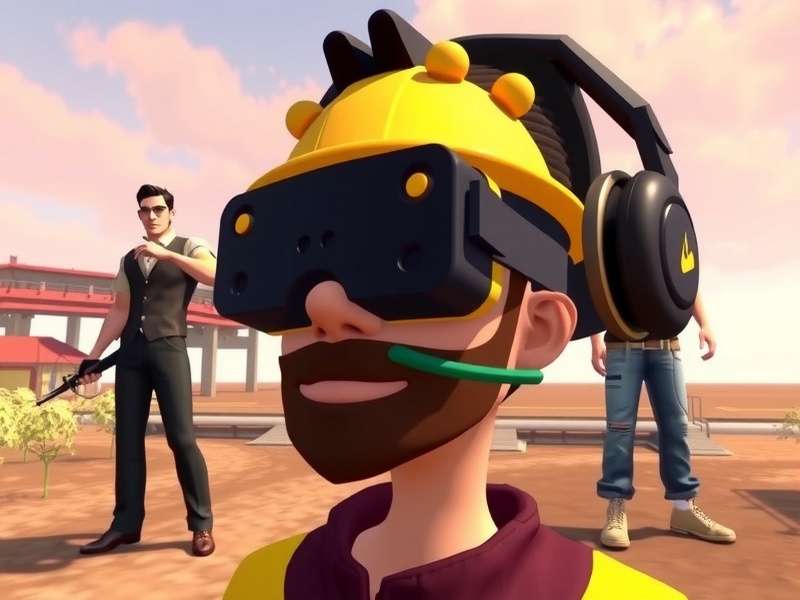
The complete VRChat avatar creation pipeline from concept to implementation
1.3 Avatar Categories and Styles
From realistic humanoids to fantastical creatures and abstract forms, VRChat supports an incredible variety of avatar styles. The community has developed distinct categories including:
Popular Avatar Categories:
- Anime-style avatars - Highly popular with expressive features
- Furry avatars - Animal-based characters with detailed fur systems
- Robotic/mecha - Complex mechanical designs with moving parts
- Meme avatars - Humorous or pop culture references
- Original designs - Unique creations from independent artists
For those interested in specific communities, you might explore our guide on VRChat Homestuck avatars which covers a unique niche within the platform.
⚙️ 2. Tools of the Trade: Essential Software for Avatar Creation
Creating a VRChat avatar requires a specific set of tools. Here's what you need in your digital toolkit:
2.1 3D Modeling Software
Blender is the undisputed champion for VRChat avatar creation. It's free, open-source, and has an incredibly active community creating specific tools for VRChat workflow. Many professional creators also use Maya or 3ds Max, but Blender's zero-cost entry makes it ideal for beginners.
2.2 Unity - The Bridge to VRChat
Unity is where your 3D model becomes a functional VRChat avatar. You'll need:
- Unity 2019.4.31f1 (the officially supported version)
- VRChat Creator Companion (VCC) - simplifies package management
- VRChat SDK 3.0 - the essential plugin
2.3 Texture and Material Tools
Substance Painter and Photoshop remain industry standards, but free alternatives like Krita and GIMP are perfectly capable. For normal map generation, tools like CrazyBump or Blender's built-in tools work well.
2.4 Animation Software
While Blender can handle animations, some creators prefer Maya for complex rigging. For facial expressions and lip sync, you'll need to work with blendshapes (shape keys in Blender).
Pro Tip:
Before investing in expensive software, master the free tools first. Most VRChat avatar creation can be accomplished with completely free software, making it accessible to everyone.
📝 3. Step-by-Step Avatar Creation Guide
Follow this comprehensive workflow to create your first VRChat avatar from scratch:
3.1 Planning and Concept Art
Every great avatar starts with a solid plan. Sketch your design, consider the silhouette, and think about how it will move. Research existing avatars in our VRChat Avatars Showcase for inspiration.
3.2 3D Modeling in Blender
Start with a base mesh or create your own. Key considerations:
- Keep polygon count reasonable (20k-70k for optimal performance)
- Create clean topology for better deformation
- UV unwrap carefully for texturing
3.3 Rigging and Weight Painting
This is where your static model becomes poseable. Use either:
- Humanoid rig (compatible with VRChat's animation system)
- Generic rig (more control but less compatibility)
Proper weight painting ensures natural movement—spend extra time here!
3.4 Texturing and Materials
Create or paint textures for your model. Consider using:
- PBR materials for realistic surfaces
- Toon shaders for anime-style avatars
- Emission maps for glowing effects
3.5 Export to Unity
Export as FBX with these settings:
- Apply Transform ✓
- Include Armatures ✓
- Include Mesh ✓
- Smoothing: Face
3.6 Unity Setup and SDK Configuration
Import your model into Unity and set it up with the VRChat SDK. This involves:
- Setting up the avatar descriptor
- Configuring visemes and facial expressions
- Setting up gesture controls
- Adding optional features like toggles and props
3.7 Testing and Publishing
Before publishing, thoroughly test your avatar:
- Check performance ranking
- Test all animations and gestures
- Verify visibility (can others see it properly?)
- Ensure compliance with VRChat's content guidelines
🚀 4. Advanced Techniques & Optimization
4.1 Dynamic Bones vs. PhysBones
VRChat has transitioned from Dynamic Bones to PhysBones (part of the SDK 3.0). PhysBones offer better performance and more realistic physics but require different setup techniques.
4.2 Avatar Optimization Strategies
To achieve "Excellent" or "Good" performance ranking:
Optimization Checklist:
- Polygon Count: Stay under 70k polygons
- Materials: Combine where possible (under 6 materials ideal)
- Textures: Use appropriate sizes (1024x1024 or 2048x2048 max)
- Draw Calls: Minimize through texture atlasing
- Skinned Meshes: Keep under 1 for optimal performance
4.3 Advanced Shader Techniques
Custom shaders can make your avatar stand out. Popular options include:
- Poiyomi Shader - feature-rich toon shader
- LilToon - lightweight alternative
- Custom written shaders for unique effects
4.4 Quest Optimization
Creating avatars for Quest requires additional optimization:
- Polygon count under 10k
- No complex shaders (use mobile-friendly options)
- Texture memory under 10MB
- No PhysBones with complex colliders
For more on cross-platform avatar creation, check our guide on VRChat SPS (Standalone Platform Support).
🌟 5. Community Showcase & Inspiration
The VRChat community is incredibly creative. Here are some inspiring examples:
5.1 Award-Winning Avatar Designs
Each year, the VRChat community holds avatar contests with stunning entries. Recent winners featured:
- Complex mechanical avatars with working parts
- Avatars with dynamic clothing systems
- Interactive avatars with built-in games
- Avatars that change based on time of day
5.2 Niche Communities
Specific communities have developed around particular avatar styles:
- VRChatR community - Focus on realistic human avatars
- Furry communities - Highly detailed animal avatars
- Anime communities - Stylized characters with expressive features
5.3 Learning from Others
The best way to improve is to study excellent avatars. Use Unity's "Show Avatar Authoring Tools" to examine how top-rated avatars are constructed.
🔧 6. Troubleshooting Common Issues
6.1 Avatar Visibility Problems
If others can't see your avatar:
- Check shader compatibility
- Verify upload succeeded completely
- Ensure materials aren't using unsupported features
6.2 Performance Issues
Poor performance ranking solutions:
- Use mesh optimization tools (like Simplygon or Blender's decimate)
- Combine materials
- Reduce texture sizes
- Simplify or remove PhysBones
6.3 Animation Problems
If animations aren't working:
- Check avatar descriptor setup
- Verify gesture weights are assigned
- Test in preview before uploading
Final Thoughts
VRChat avatar creation is a journey that combines technical skills with artistic expression. The most successful avatar creators are those who continuously learn from the community, experiment with new techniques, and most importantly—have fun with the process.
Remember that your first avatar doesn't need to be perfect. The VRChat community is generally supportive of creators at all skill levels. Start simple, learn the basics, and gradually add complexity as your skills grow.
For ongoing learning, join avatar creation communities on Discord, follow tutorial creators on YouTube, and never stop experimenting. The only limit is your imagination (and maybe polygon count!).
Share Your Experience
Have questions or tips about avatar creation? Share with the community!