VRChat Avatars Maker: The Ultimate Guide to Crafting Your Digital Self 🛠️✨
Welcome to the definitive resource for creating, customizing, and uploading your very own avatar in VRChat. Whether you're a seasoned creator or taking your first steps into Unity, this guide will walk you through the entire process, revealing pro tips and community secrets along the way.
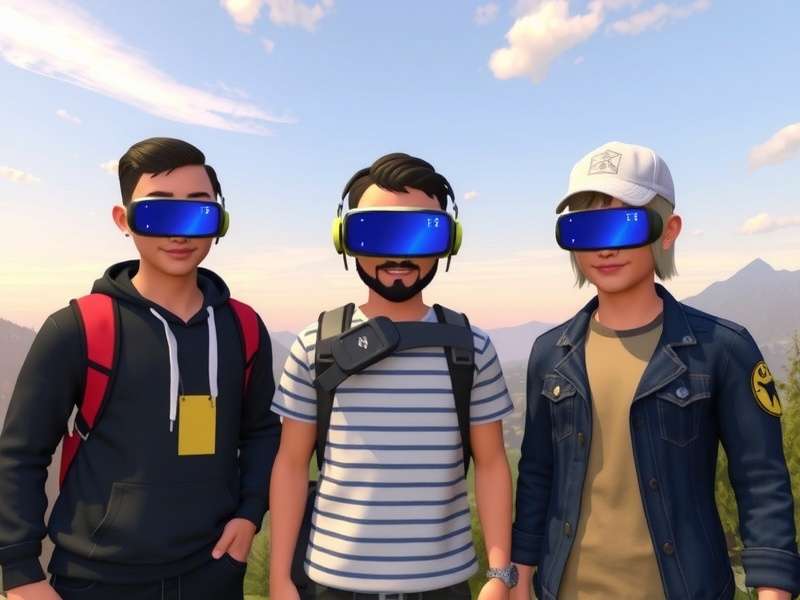
🚀The quest for the perfect avatar is at the heart of the VRChat experience. Your avatar is more than just a visual representation; it's your vehicle for interaction, your expression of identity, and your ticket to unforgettable social moments. While many users browse public avatar bases, true personalization comes from making your own. This guide dives deep into the entire VRChat Avatars Maker pipeline, from concept to upload.
Chapter 1: The Foundations of a Great Avatar
Before you open any software, planning is crucial. A successful avatar starts with a strong concept. Are you aiming for a realistic human, a fantastical creature, a sleek robot, or something completely abstract? Consider the silhouette, color palette, and key features. Many creators start by sketching or gathering reference images.
One of the biggest decisions is choosing your base. You can model from scratch in a 3D program like Blender (a massive undertaking), or use a pre-made VRChat avatar base. These bases, often humanoid in shape, provide a rigged skeleton ready for customization. Popular bases include those by VRM standard or community-shared templates. Using a base significantly speeds up development and ensures compatibility with VRChat's animation system.
1.1 Essential Tools of the Trade
The core software suite for any avatar maker includes:
- Blender (Free & Powerful): For 3D modeling, sculpting, and UV unwrapping. The go-to for modifying meshes.
- Unity (The Hub): This is where everything comes together. You'll need a specific version compatible with the VRChat SDK.
- VRChat SDK: The essential plugin that adds VRChat-specific components and the upload pipeline to Unity.
- Image Editing Software (GIMP/Photoshop): For creating and editing textures.
Setting up your workspace correctly from the start prevents headaches later. Ensure your Unity project is set to the correct rendering pipeline (Standard, URP, or HDRP) based on your avatar's requirements.
Chapter 2: The Art of Avatar Customization
This is where your vision comes to life. Customization can range from simple texture swaps (often called "re-skins") to full geometry alterations.
2.1 Texturing and Materials
Textures give your avatar color, detail, and personality. A well-made texture can make a simple model look incredible. Learn about Diffuse maps (color), Normal maps (fake depth), and Emissive maps (glowing parts). For a deep dive into creating expressive faces, some creators even experiment with integrating AI tools like ChatGPT for generating concept art and backstories that inform their design.
2.2 Dynamic Elements and Accessories
To make your avatar stand out, consider adding toggles and dynamics. Using the VRChat SDK, you can create menu buttons that allow you (and others) to change hairstyles, hats, colors, or even entire outfit states. Physics-based elements like jiggle bones for hair, tails, or clothing add a layer of realism and appeal. Remember, subtlety is key – overly aggressive physics can be distracting.
For those seeking an extra layer of immersion, some advanced avatars incorporate systems that simulate touch feedback, known in the community as VRChat Phantom Sense. While not a direct creator tool, understanding this phenomenon can influence how you design interactive elements on your avatar.
Looking for inspiration or a specific type of base model? Use our search tool below to find resources across our site.
Chapter 3: Rigging, Animation, and Final Touches
A static model is just a statue. Rigging gives it a skeleton, and animations give it life. Most bases come pre-rigged, but you may need to adjust weights if you've modified the mesh.
3.1 Facial Expressions and Visemes
Lip-sync and facial expressions are critical for communication. In Unity, you'll use the Blend Shapes (or Shape Keys) system to create visemes for lip-sync and expressions like blink, smile, and surprise. This process can be time-consuming but is immensely rewarding when your avatar accurately reflects your voice and emotions.
3.2 Optimization: The Key to Accessibility
A beautiful avatar that crashes worlds is a bad avatar. VRChat has performance ranking systems (Poor to Excellent). To ensure your avatar is friendly to all users, you must optimize. This includes: Reducing polygon count, merging materials, using texture atlases, and compressing textures. An optimized avatar loads faster and allows more people to see it in crowded instances, such as those where you might find VRChat funny moments happening live.
3.2.1 The Importance of LODs (Level of Detail)
LODs are lower-detail versions of your model that display at greater distances. Creating 2-3 LOD levels can dramatically improve the performance of your avatar in large worlds without sacrificing close-up quality.
Chapter 4: Uploading and Beyond
Once your avatar is ready in Unity, the VRChat SDK provides a straightforward upload panel. You'll need to be logged into your VRChat account linked to your Steam VRChat or Oculus account. After upload, you can set it as your default or favorite it for easy access.
But the journey doesn't end there. The real magic happens when you step into a world with your new creation. Share it with friends, get feedback, and iterate. The community is a fantastic resource. Many creators share their work on platforms like Discord, and some even create specific avatars for fan groups, such as the intricate and symbolic characters found in the VRChat Homestuck community.
💡Pro-Tip: Always test your avatar in a private world first! Check for clipping, strange animations, and ensure all toggles work as intended before taking it to a public venue.
How helpful was this VRChat Avatars Maker guide? Let us know!
Have a question about a specific step? Found a great trick? Share your thoughts and experiences with other avatar makers below.
Chapter 5: Advanced Topics & The Future
As you master the basics, you can explore advanced features like custom shaders (e.g., toon, rimlight), particle systems for magical effects, and advanced Unity Animator Controller states for complex gestures. The integration of VRChat age verification Discord bots into community creation groups also highlights how the ecosystem is maturing, ensuring safer spaces for creators of all ages to collaborate.
Furthermore, niche markets and requests have emerged. For instance, there is a consistent demand for well-made VRChat avatars girl models that offer a wide range of customization and expressiveness, pushing creators to innovate in facial animation and fashion design.
The landscape of avatar creation is always evolving. With new SDK updates, Unity versions, and community tools being released regularly, the only limit is your imagination. We hope this guide has empowered you to start your journey as a VRChat Avatars Maker.
Last Updated: | This guide is a living document and will be updated as the VRChat creation landscape changes.